

Here are a couple of photos taken 2 minutes apart during sunset. Light changes quickly especially at sunrise and sunset. Be ready to capture your images and focus on different areas of the scene.


Here are a couple of photos taken 2 minutes apart during sunset. Light changes quickly especially at sunrise and sunset. Be ready to capture your images and focus on different areas of the scene.
Quick tip…To change the exposure of a sunset photo (or any photo) tap the screen in the dark or light areas. This will make the exposure longer or shorter depending on which area you tap.
Tap the the screen in the lightest area for a shorter exposure time and the shadow areas will be darker. Tap the darker areas for a longer exposure and the darker areas will be lighter.
In the photo below I tapped the lightest area (the sun). Notice the shadow areas are pretty much totally black.
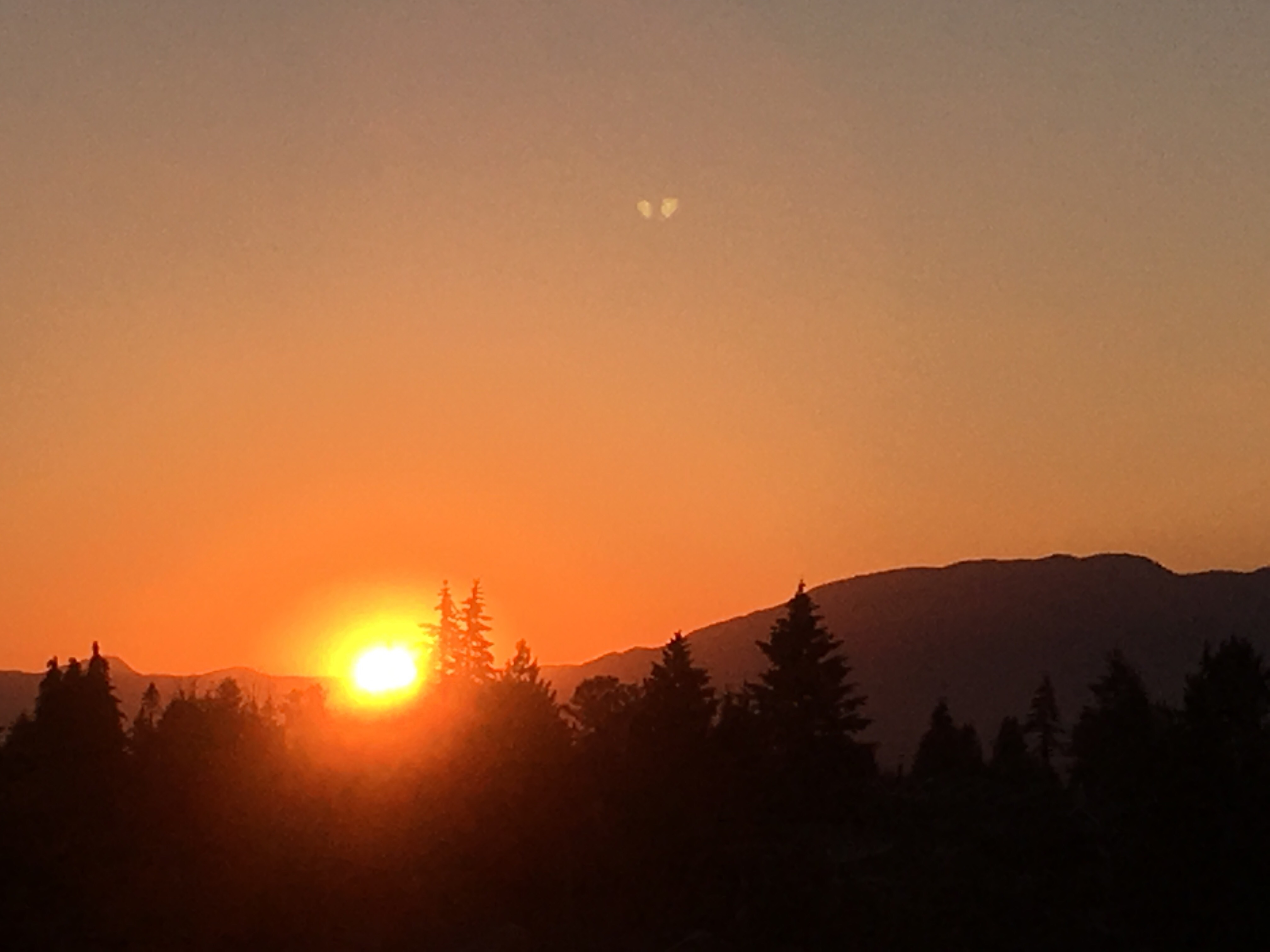

When photographing a sunset, if you meter off the sun (set the exposure for the brightest part of the photo) other areas will be under exposed (dark or black). Depending on the look you are going for this can be a good or a bad thing. In the above image I exposed for the sun and sky which then made the trees and mountains in the foreground under exposed.

 Creativescans